introduction
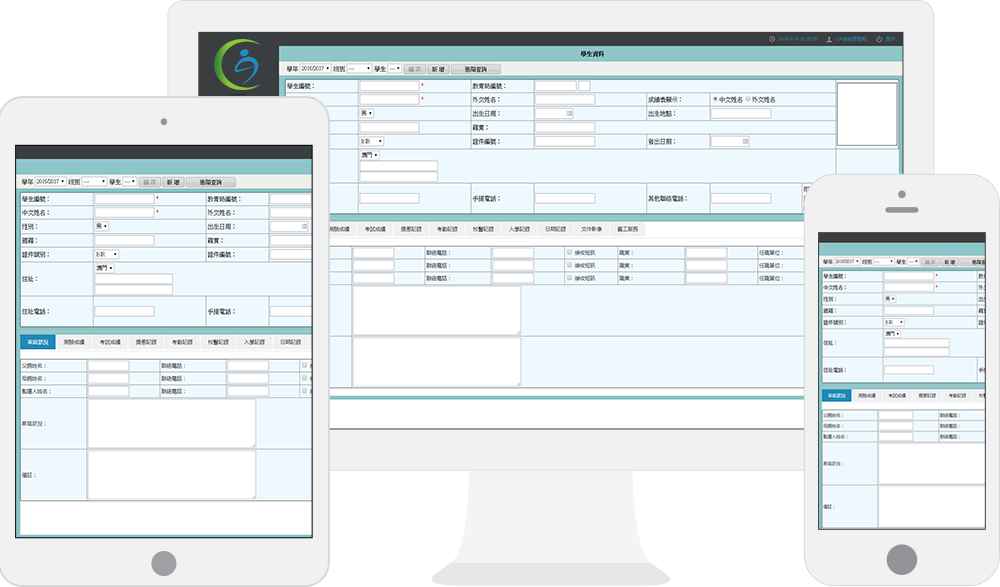
Web client-real-time synchronization of tablets and mobile phones
The CA school management system is a management software developed for the educational administration of primary and secondary schools in Macau. It is mainly used for the management of student performance, attendance, moral education management, and extracurricular activities. Realize the systematization, scientification, standardization and automation of management, and carry out daily management in the form of web pages, such as querying, printing transcripts, checking attendance, and visiting classrooms, etc., to improve the efficiency of education management.
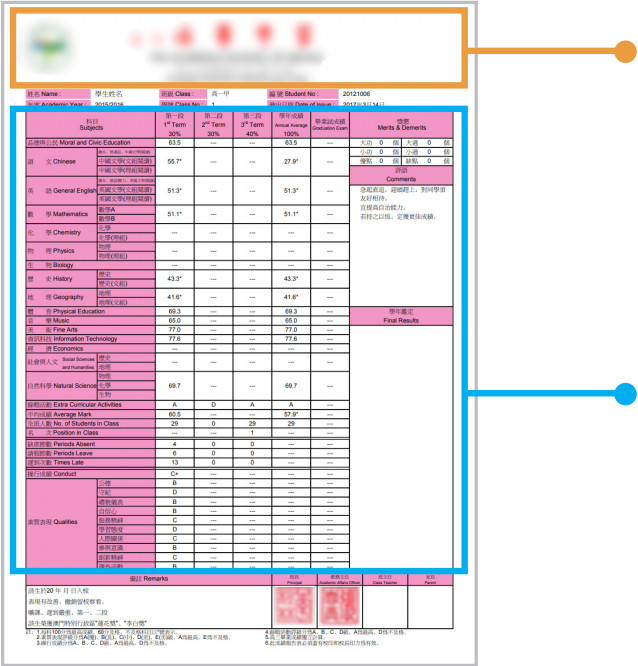
Custom-designed transcript printing
The style and layout of the printed transcript can be previewed and managed, and the transcript styles are tailored for different academic years. Accurately calculate and organize student scores, such as calculating the proportion of segment scores, total scores, average scores, rankings, etc.
Establish a comprehensive student database
The school management system can establish a personal database for each student, so that faculty and staff can quickly view the student’s information, grades, rewards and punishment records, attendance records, school doctor visit records, admission records, and volunteer services. You can also upload and save relevant images and video files of students.
Attendance management of students and faculty
With the smart card reader, the system records the time when students are enrolled in the school, and registers for leave and absence. Faculty members customize the curriculum, record the on-off shift schedule of faculty members, and register faculty members' leave and substitute classes.
Quality moral education, and extracurricular activities
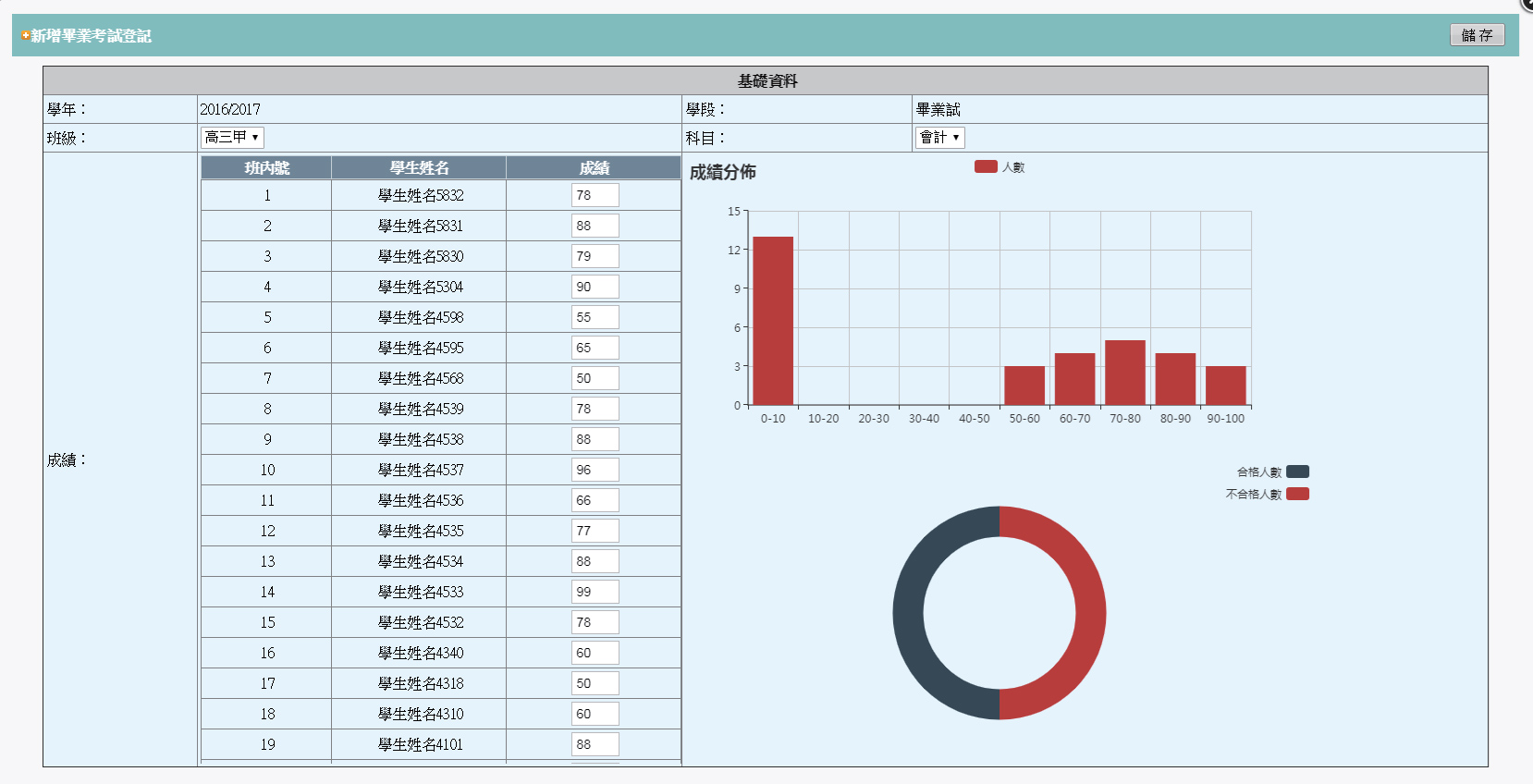
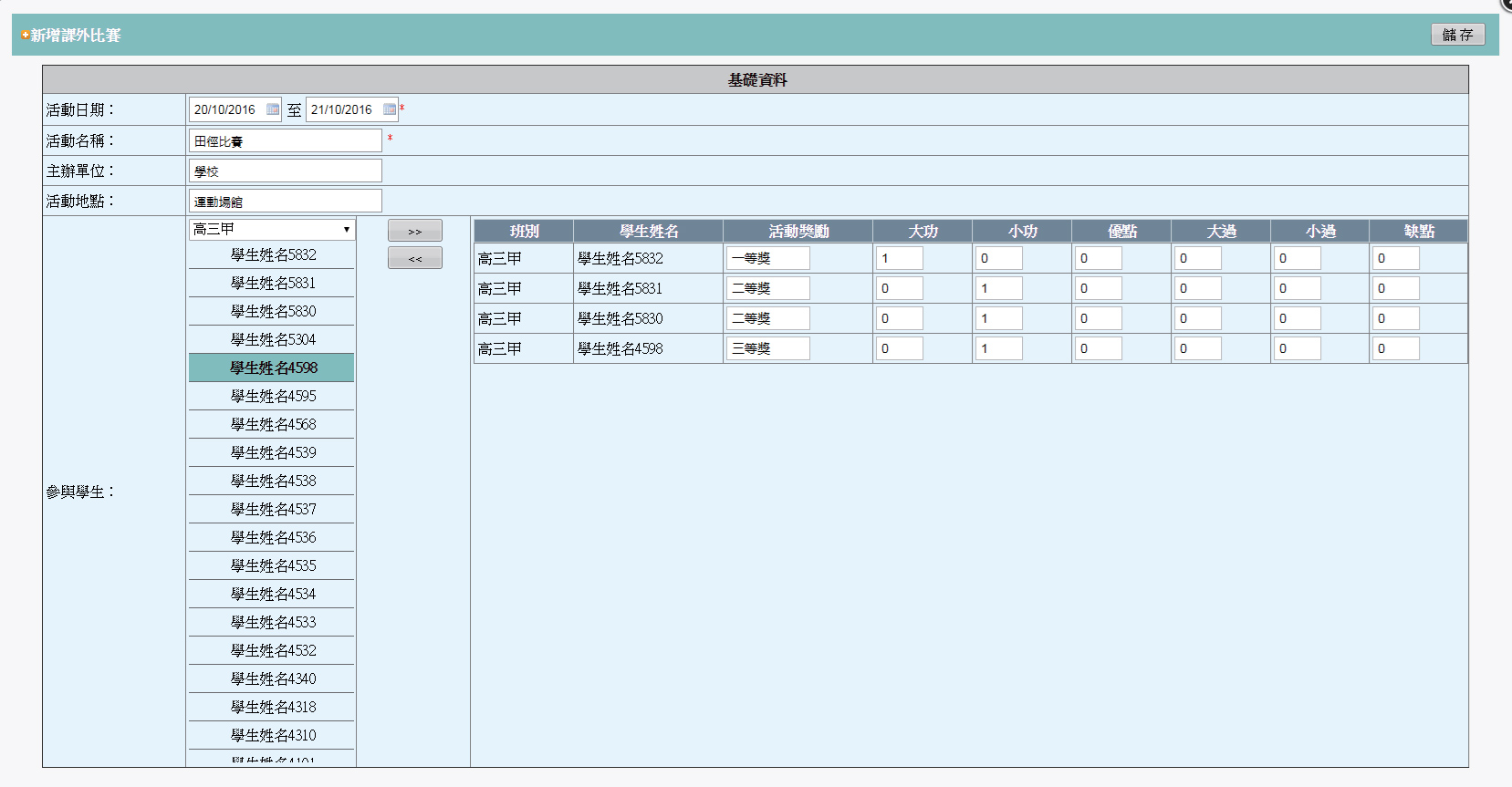
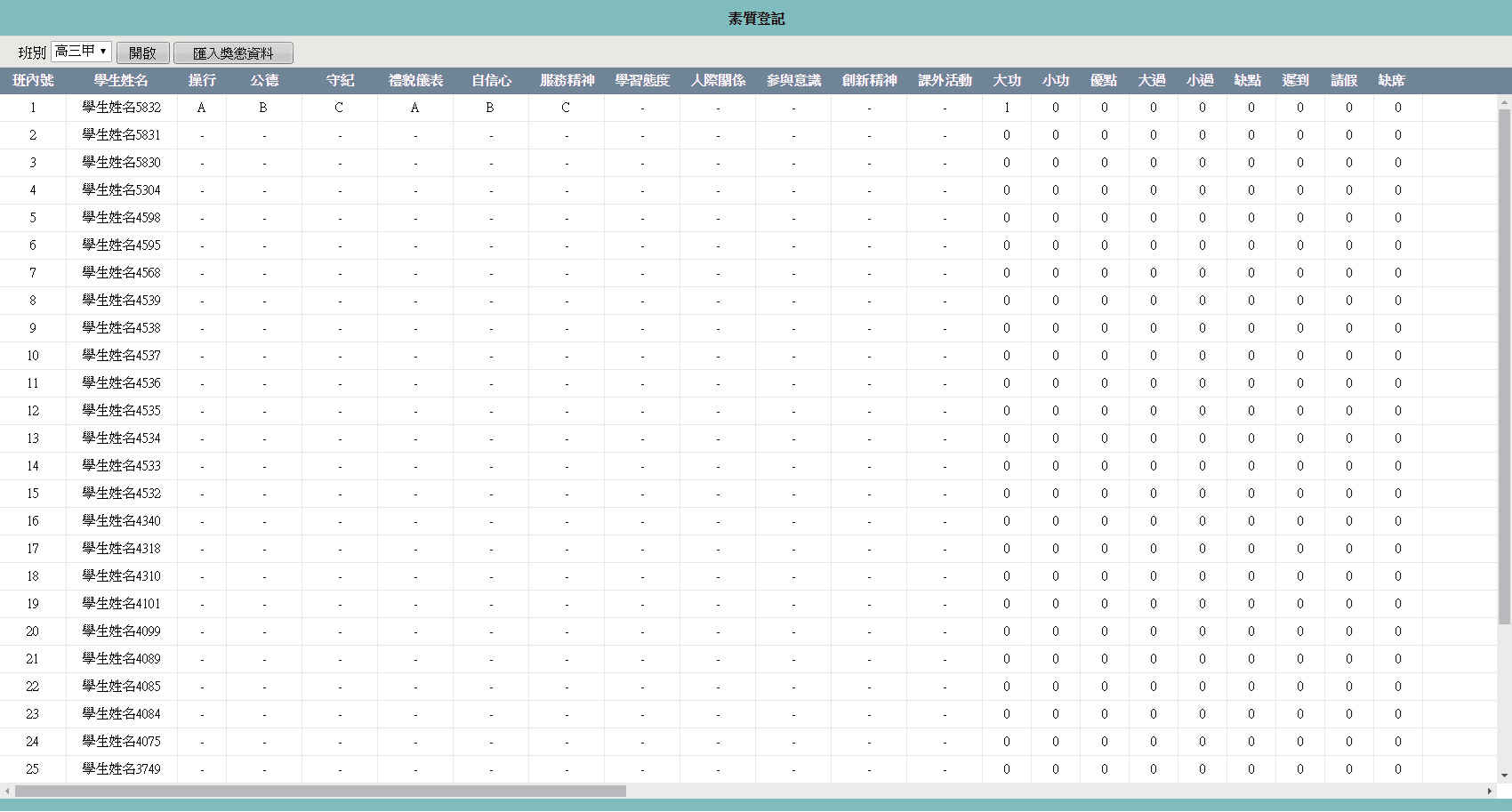
Before the student's grade, record the student's moral education in detail, so that the faculty and staff can follow up on the student's quality education. Registering students for extracurricular competitions, leisure activities, and volunteer services are more conducive to discovering students' skills and abilities.
1>Customize the printing style of the score sheet
The school logo, name, and seal can be designed according to the requirements of the form provided by the customer
According to the different subjects and assessment content of each school year, design a form that meets the requirements, and automatically calculate the average score and ranking of students
Faculty members only need to select the corresponding class, school year, and section in the background, and they can quickly print the required forms. No need to design and stamp separately.
2>Practical time attendance and card management
Instantly display student card information
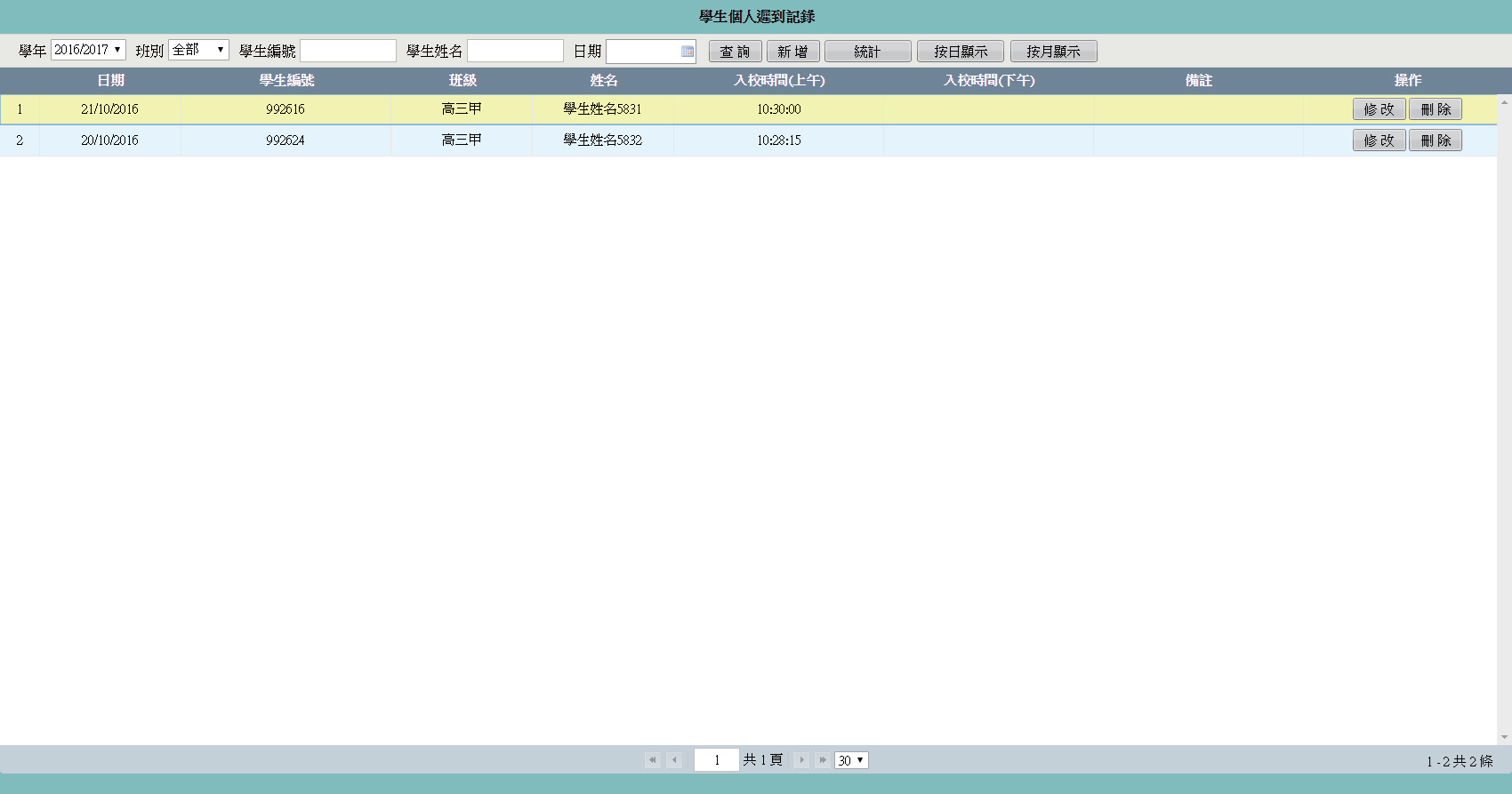
Students' arrival at school can be distinguished according to the color whether they arrive at school or ask for leave. For example, the following picture:
Black arrives at school normally, yellow asks for leave, red is absent
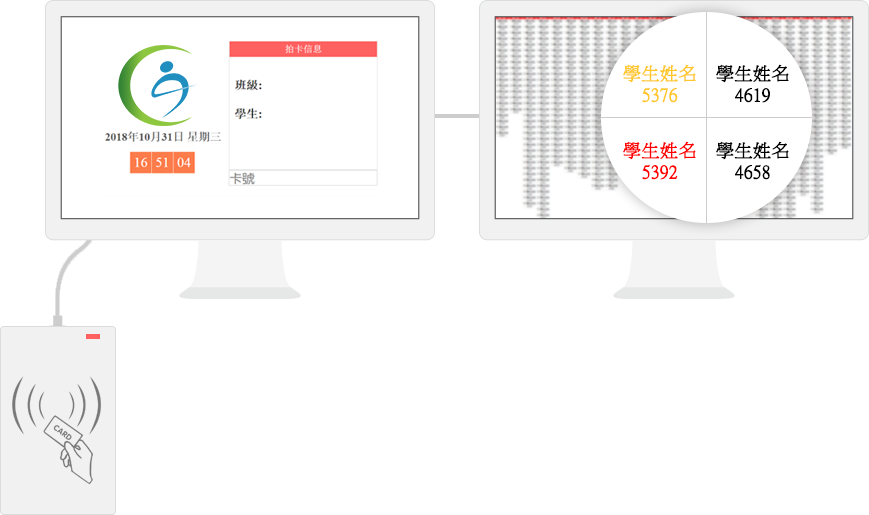
*The system supports existing Mifare card readers in the market
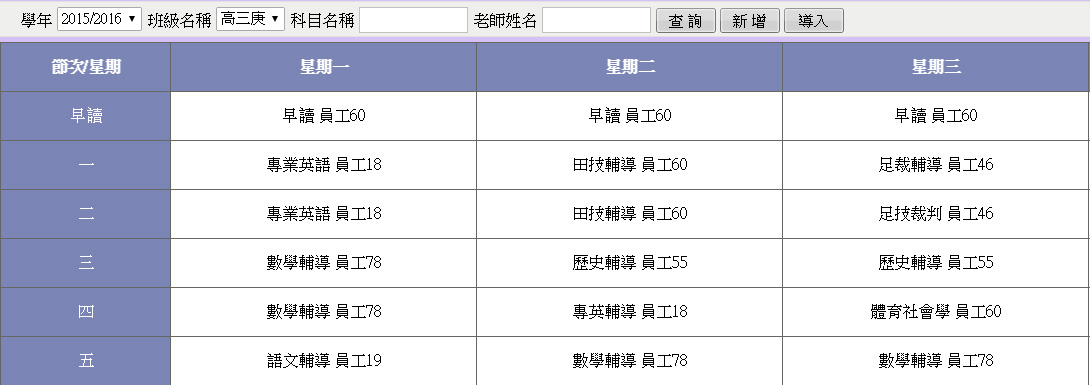
3>Teacher scheduling function
With query, add, and import functions
You can quickly view the subjects of the current class and the corresponding teachers
You can import class schedules in batches through Excel tables, or you can freely add and modify class schedules manually
4>Teacher tour function
Xuntang teachers can record the attendance and moral education performance of class students through the tablet computer

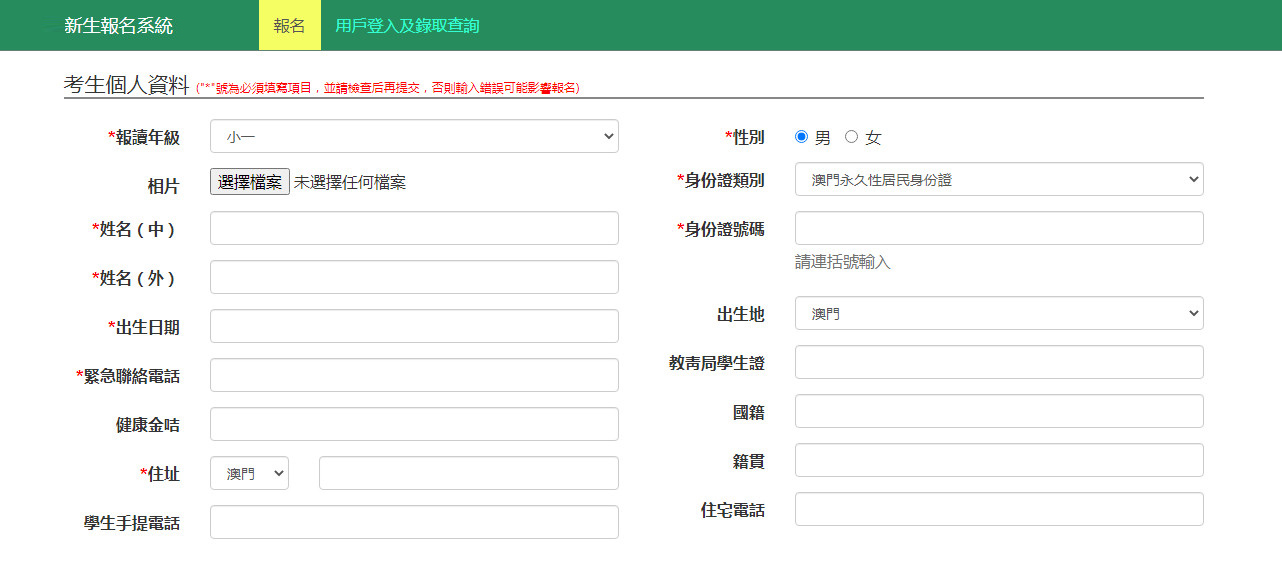
5>Student registration system
Effective management of freshmen registration before enrollment
Provide online registration methods to manage student entrance examinations and interview registrations
Export and print the admission information form, reservation fee, etc.
6>Campus SMS notification
Preset templates such as test time notification, interview result notification, admission announcement, etc., send SMS in batches